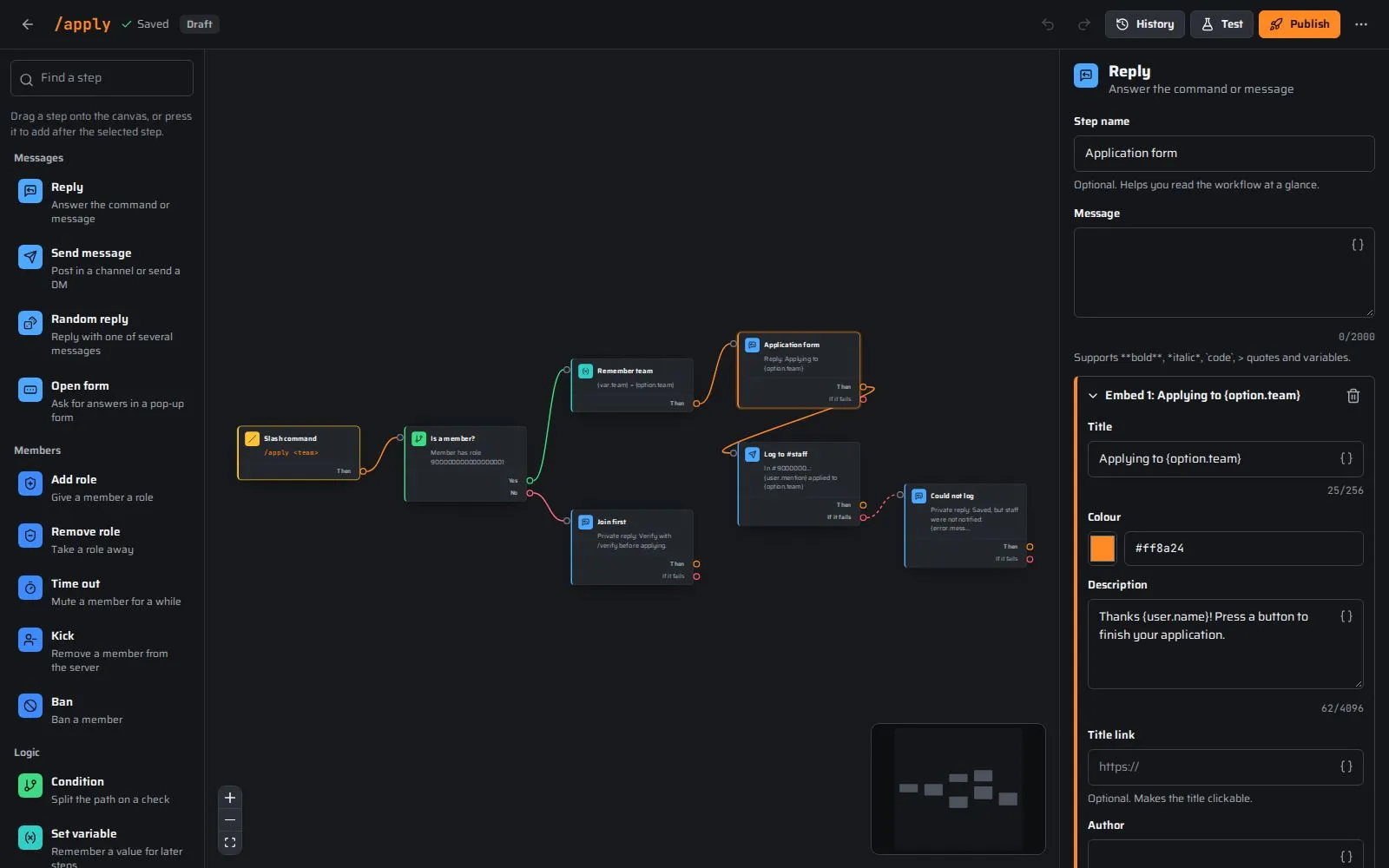
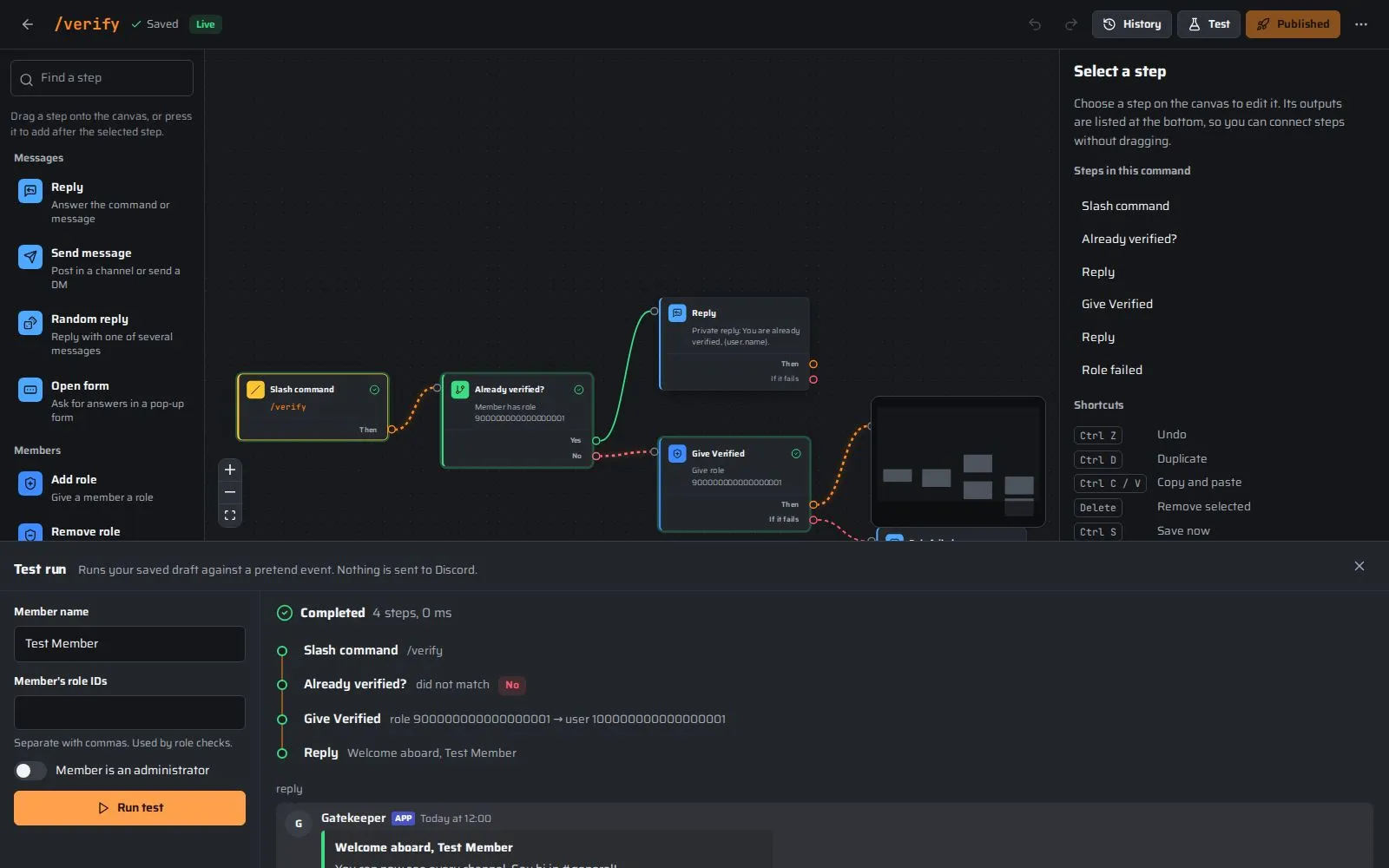
This is a real command made of four blocks, running in your browser. Watch the signal travel from the slash command through a role check to a reply, then tick the box to send it down the other path.
Everything your server needs, in one place
Build what you need, switch on what is ready, and let Channelcraft run it.
A command builder that thinks in blocks
Drag blocks onto the canvas and wire them together: slash command options, replies, role changes, checks and loops. Every block is colour-coded by what it does, so a big command still reads at a glance.
Drag-and-drop canvas with undo and autosave
Live Discord preview while you type
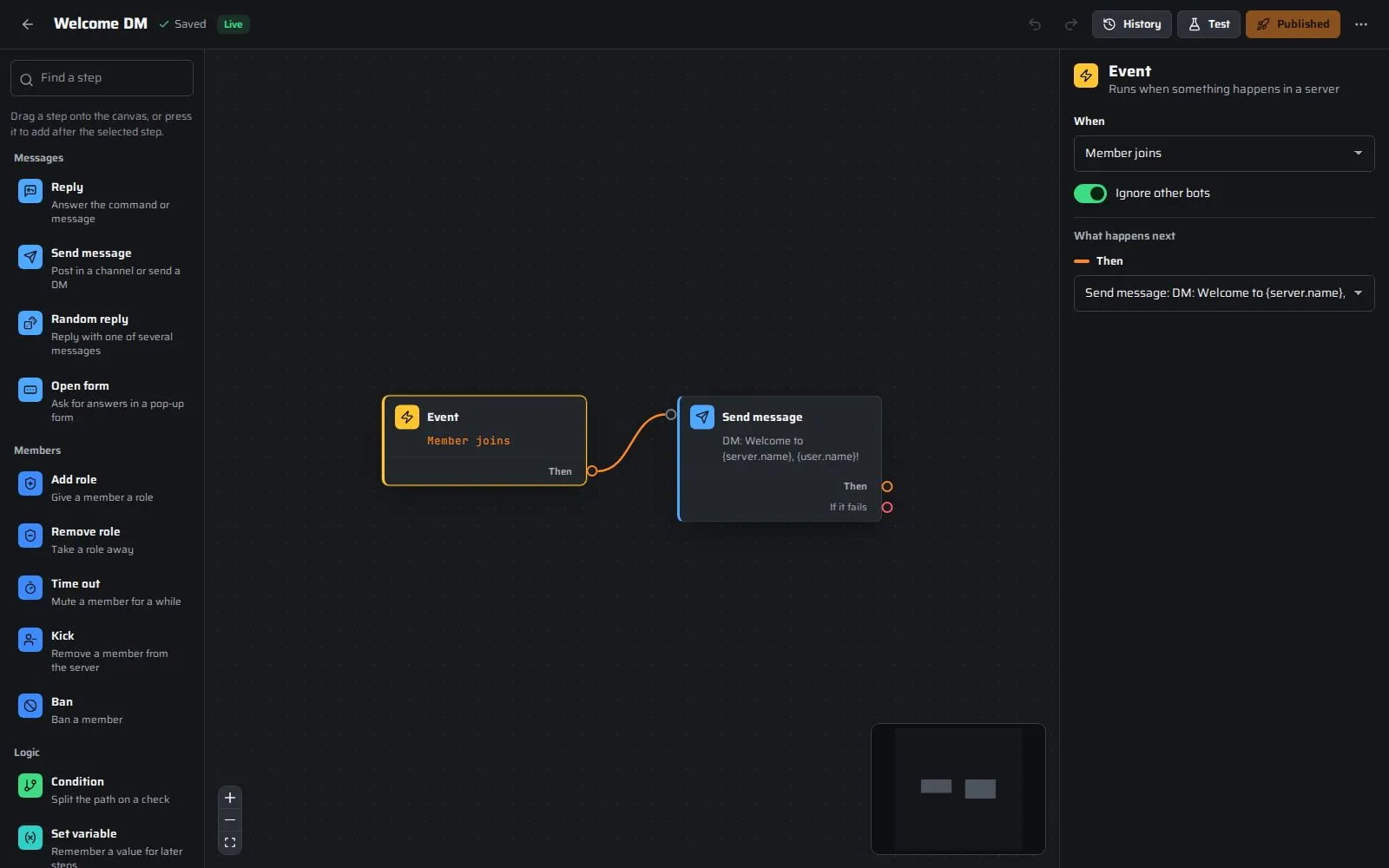
Events that run on their own
React when members join or leave, send messages, add reactions, click buttons, pick from menus or submit forms. Or run on a schedule, every few minutes or once a day.
Ten event types plus schedules
Reusable step groups for shared logic
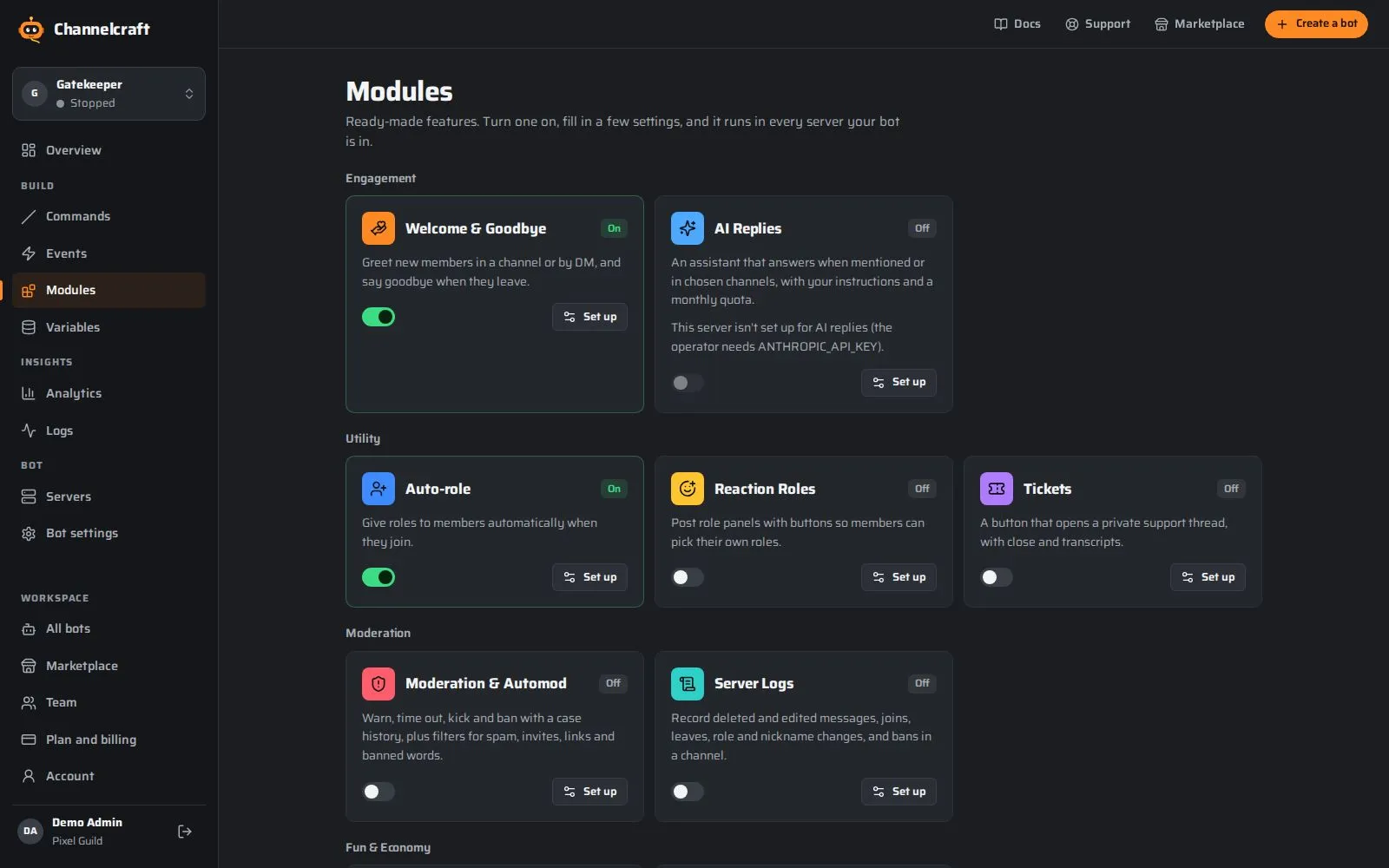
Modules for the everyday jobs
Welcome cards, auto-roles, moderation with automod, server logs, reaction roles, tickets, levels, an economy, stream alerts and AI replies. Switch one on and fill in a few settings.
No building needed
Every module explains what it needs
Hosting that keeps your bot online
Your bot runs on our runners around the clock. If one restarts, another picks your bot up within a minute, and slash commands sync with Discord automatically.
24/7 hosting on every plan
Encrypted, write-only bot tokens
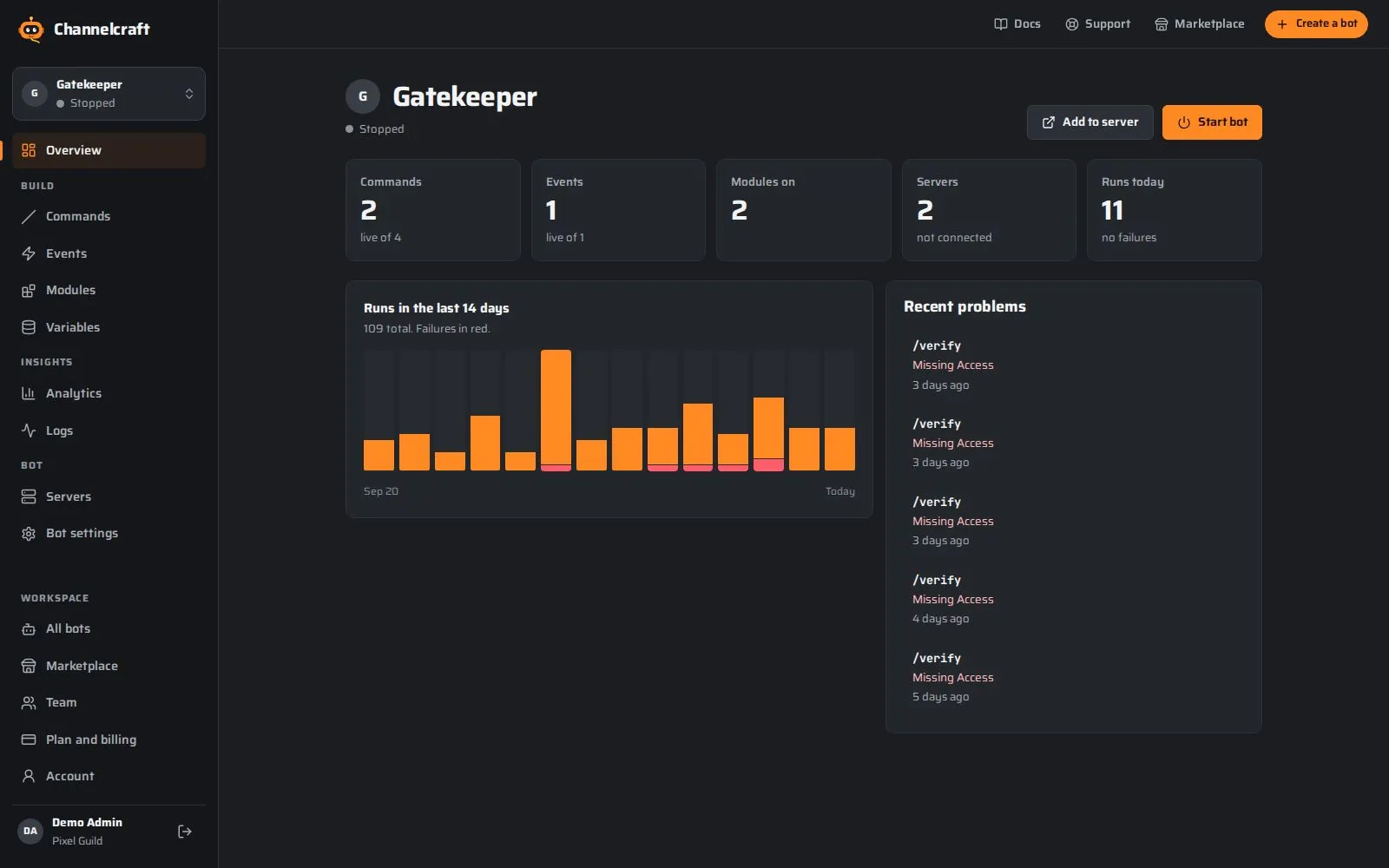
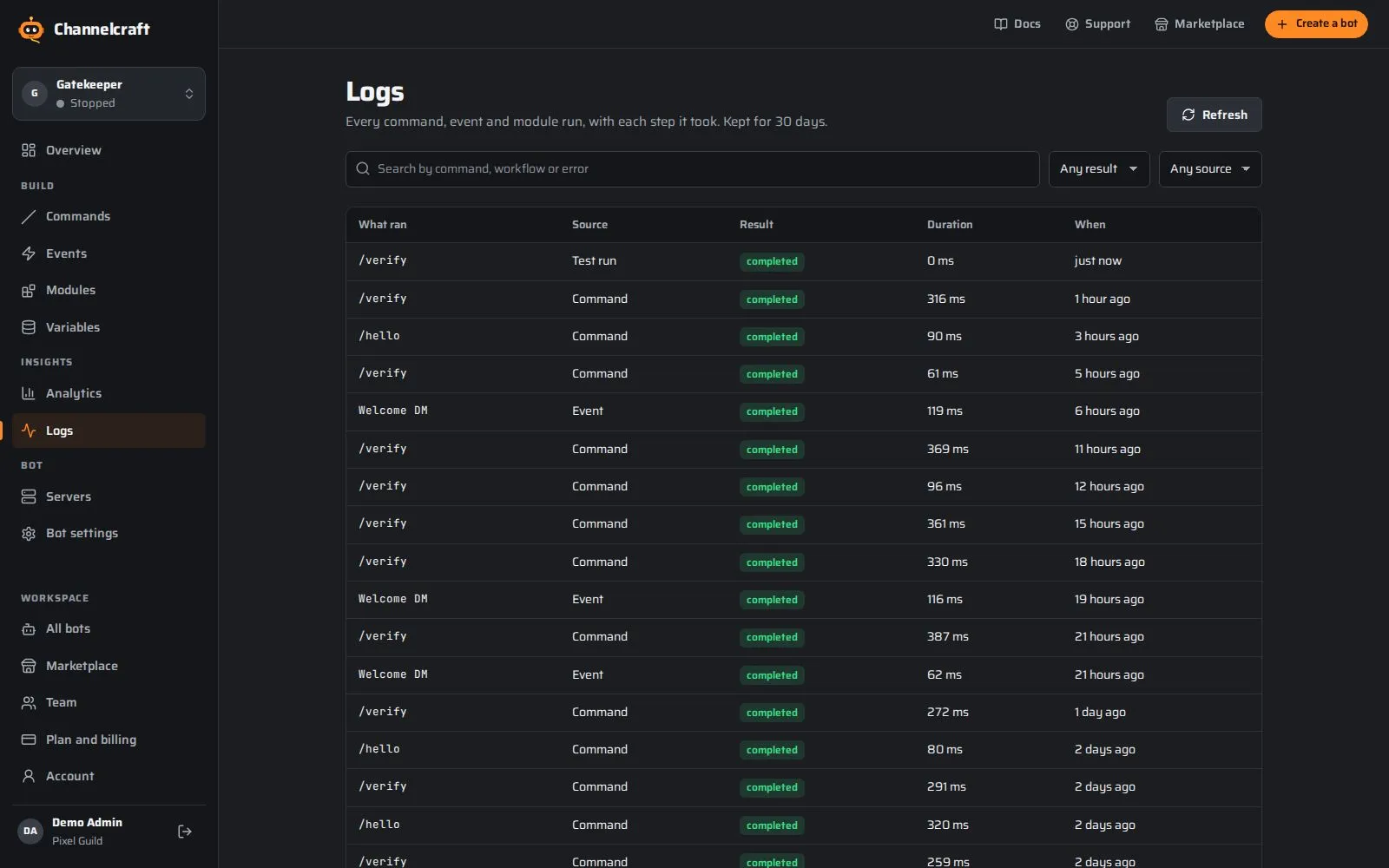
Logs that say what went wrong
Each run lists the blocks it took and why one failed, in plain words such as "the bot's role is below that role". Filter by command, event or result, and jump straight to the block.
Step-by-step run traces
Analytics for runs, errors and servers
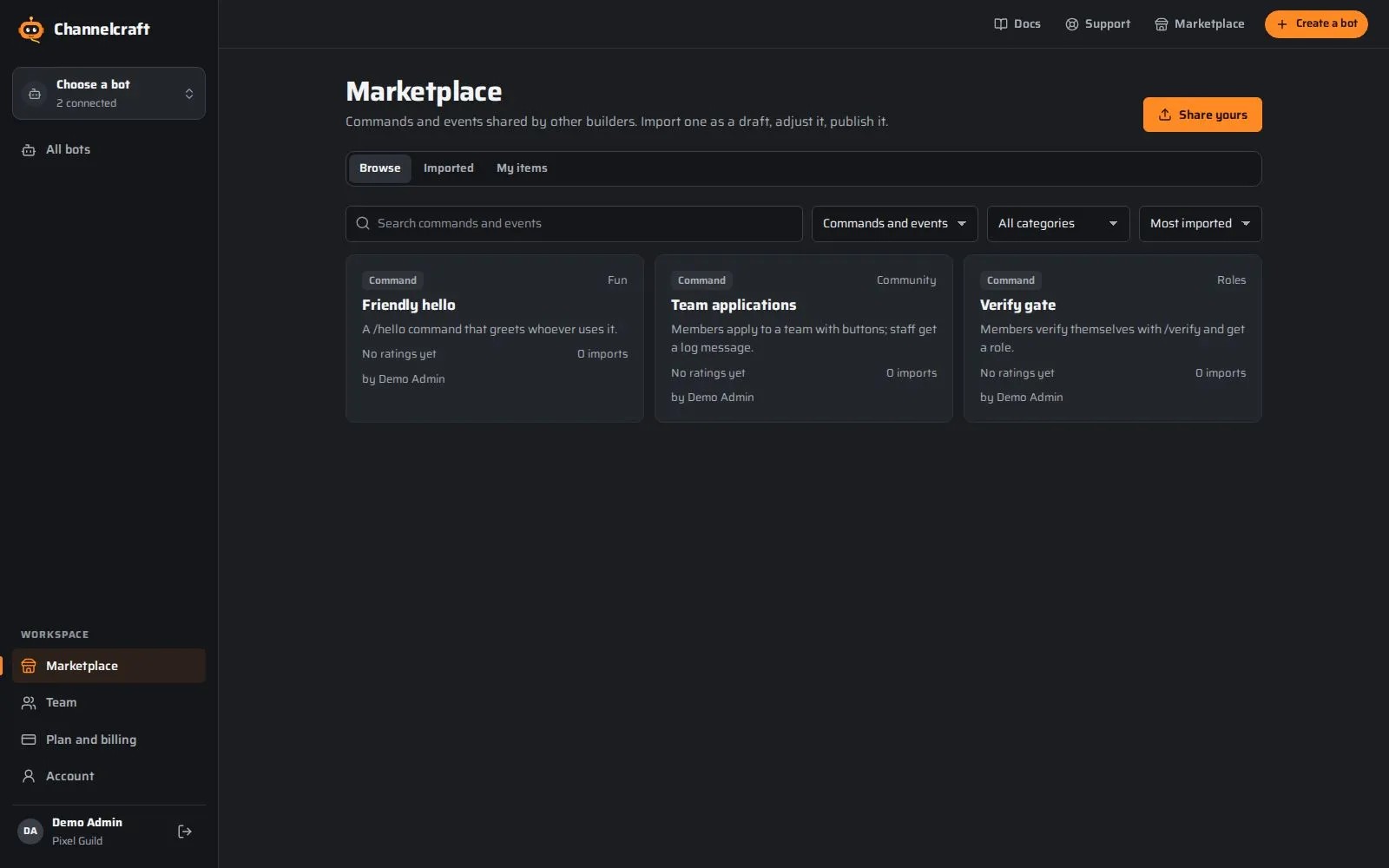
A marketplace of ready-made commands
Browse commands and events other builders shared, preview what they do and which permissions they need, then import one as a draft and make it yours.
Safe imports: workflows, never code
One-click rollback
Build complex commands and automations
Branch on roles and answers, loop over lists, remember values between runs and call your own APIs. When something fails, an error path decides what happens next.
Channelcraft Automations connects web services, data and AI on the same kind of canvas. Start from a schedule, a webhook, a form or a manual run, pass items from step to step, and see exactly what each step received and sent on.
Expressions such as {{ $json.email }}, with a live preview
Test one step or the whole run, then pin sample data
Credentials stored encrypted and never shown again
Publish versions, switch them on, and read every execution
Turn one on, fill in a few settings, and it runs in every server your bot is in.
Welcome & Goodbye
Greet new members in a channel or by DM, and say goodbye when they leave.
Auto-role
Give roles to members automatically when they join.
Moderation & Automod
Warn, time out, kick and ban with a case history, plus filters for spam, invites, links and banned words.
Server Logs
Record deleted and edited messages, joins, leaves, role and nickname changes, and bans in a channel.
Reaction Roles
Post role panels with buttons so members can pick their own roles.
Tickets
A button that opens a private support thread, with close and transcripts.
Levels & XP
Reward chatting with XP and levels, level-up messages, role rewards and a leaderboard.
Economy
A server currency with daily rewards, payments, a role shop and inventories.
Twitch Alerts
Announce when streamers go live, checked every two minutes.
YouTube Alerts
Announce new uploads from YouTube channels, checked every five minutes.
AI Replies
An assistant that answers when mentioned or in chosen channels, with your instructions and a monthly quota.
AFK
Members set an away note; anyone who mentions them is told, and it clears when they are back.
Birthdays
Members save their birthday; the bot celebrates them on the day with a message and an optional role.
Reminders
Members set reminders for themselves; the bot pings them in the channel or by DM when it is time.
Giveaways
Run giveaways with an entry button, a timer, random winners and rerolls.
Polls
Button polls with live vote counts, one vote per member and an optional end time.
Suggestions
A suggestion channel with voting reactions, discussion threads and staff approve or deny.
Starboard
Messages that collect enough star reactions are reposted to a highlights channel.
Counting
A counting channel: members count up one number at a time; mistakes reset the count.
Sticky Messages
Keep an important message at the bottom of a channel by reposting it as people chat.
Media-only Channels
Remove text-only messages in showcase channels so they stay full of images and links.
Auto Responder
Reply automatically when messages match your keywords, with cooldowns and channel filters.
Auto React
Add emoji reactions to messages in chosen channels or containing chosen words.
Temporary Voice Channels
Joining a "create" channel makes a personal voice channel that disappears when it empties.
Server Stats Channels
Channel names that keep live counters such as members, boosts, channels and roles up to date.
Verification
A verify button, with an optional quick question, that gives new members access.
Join Gate
Stop raids and throwaway accounts: minimum account age and alerts when many people join at once.
Sticky Roles
Remembers the roles (and nickname) of members who leave and gives them back if they rejoin.
Auto Nickname
Gives every new member a nickname in your format, like a prefix or server tag.
Auto Threads
Open a discussion thread for every new message in chosen channels.
Confessions
Members post anonymous confessions to a channel, with a private log for moderators.
Server Utilities
Handy commands: user info, server info, avatars and member counts.
Fun Pack
Classic fun commands: 8-ball, coin flip, dice, rock-paper-scissors, choose and rate.
Scheduled Messages
Post messages to channels on a repeating schedule, such as daily or weekly announcements.
Invite Tracker
See who invited each new member and keep an invite leaderboard.
Weather
Current weather and forecasts up to 7 days for any city, in metric or imperial units.
Translator
Translate with /translate, by reacting with a country flag, or automatically in chosen channels. Uses your AI quota.
Casino & Jobs
Bet your Economy balance on slots, blackjack, roulette and more, or earn with /work, /crime, /beg and /rob. Plays just for fun when Economy is off.
Roblox Link
Members prove they own a Roblox account with a code in their profile, then get roles, a nickname and group rank roles.
Image Studio
Members create pictures with /imagine, using your own image API key, with cooldowns, daily limits and a safety filter.
Music & Radio
Play internet radio and audio links in voice, with a queue, loop, volume, effects and DJ roles.
Poll Guard
Take down Discord polls in the channels you choose, with role exceptions and a short notice.
Emoji Manager
Add emoji from a link or straight from another server, rename, remove and list them, and add stickers.
Discord AutoMod
Set up Discord's built-in AutoMod from here: blocked words, word lists, spam and mention limits.
Message Studio
Design a message with embeds and buttons, post it as the bot, and come back later to edit it.
Daily Question
A fresh conversation starter every day at your time, from 300 built-in questions, your own, or member ideas.
Linked Channels
Join channels across servers into one shared room: messages are copied everywhere with the sender's name and picture.
Mod Mail
Members DM the bot to reach your staff privately; staff answer from a thread or channel in the server.
10,200+ templates, one click each
Trivia quizzes, economy jobs, welcome messages, self-role menus, application forms, auto-responders, daily questions and more. Install one onto your bot as a draft, change anything, publish.
No. Commands and events are built by connecting steps on a canvas. If you can describe what should happen ("when someone types /verify, give them a role and say welcome"), you can build it. Developers can still call their own APIs with HTTP steps.
Whose bot is it?
Yours. You create the bot in the Discord developer portal and stay its owner. Channelcraft hosts it with the token you give us, and you can take it elsewhere at any time by resetting the token.
How is my bot token protected?
It is checked with Discord, then encrypted immediately with a key that never leaves our servers. It is never shown again, never logged, and our team will never ask you for it.
What happens when I change a live command?
Edits are saved as a draft. Members keep using the published version until you publish again, and you can roll back to any earlier version.
Is the free plan really free?
Yes. One hosted bot with 25 commands and events and 10,000 runs a month, with no card required. You only pay if you need more.
Can several people work on the same bot?
Yes. Invite teammates as owners, editors or viewers. Every change is recorded in the activity log, and the editor warns you if someone else saved in the meantime.
What can the bot do on its own?
Modules cover common jobs without building anything: welcome messages, auto-roles, moderation and automod, server logs, reaction roles, tickets, levels and an economy.
Start building today
Your server, your bot, your rules. Free to start, no card needed.